Growing-up video
From birth to today
A growing-up video is the most moving way to watch someone change over the years. You upload photos in order, and My Clip creates a smooth, seamless transition from one photo to the next. The face grows gradually instead of switching, and you get a video that tells a story across the years. It's ready in a short time, depending on how many photos you use, with no editing skills needed.
Watch real results and illustrations of growing-up videos. Swipe sideways to see more.
From birth to today
Big milestones
A customer's video
First birthday
A growing-up video is a short video that shows one person changing over time: from baby to child, from child to teen, or just across a single year. Instead of a slideshow that swaps one photo for the next, the face changes continuously, so it feels like watching someone actually grow up.
The difference is the transition. In a regular slideshow each photo appears and disappears, and your brain takes in a set of separate moments. In a growing-up video My Clip creates the motion between every two photos, so your eye sees one continuous change. That's what makes the effect so moving.
People most often make one for a birthday, a graduation, a wedding, or as a gift for parents and grandparents, and really for any moment worth pausing to look back.
Gather between 2 and 60 photos of the same person, from the earliest to the most recent. Photos where the face is large, sharp and facing the camera work best. Old prints you scanned with your phone work great too.
Each photo gets a crop frame that lets you place the face at the same height. That alignment is what makes the transition look like continuous growth instead of a photo swap, and it's the step that matters most for the final result.
My Clip creates the motion between every two photos in a row and joins it all into one seamless video. Pick music while you create, and when it's ready, download a file that's ready to share on WhatsApp, Instagram and TikTok.
Every transition starts and ends on photos you uploaded. My Clip creates the motion between them, so the starting point and the end point are always your own photos.
Lining up the eyes makes this stronger. Before creating, you get a crop frame that lets you place the face at the same height in every photo. When the eyes sit in the same spot, the transition looks like natural growth; when they jump, the same transition looks like a cut between two different photos. It's the step that matters most for the result, and it takes less than a minute.
Small glitches can happen, especially with blurry photos or ones where the face is very small. Sharp photos where the face is large and facing the camera keep them to a minimum.
The first year is when change is most dramatic, so it's also the clearest example of a growing-up video. Say you've gathered twelve photos of your daughter, about one a month.
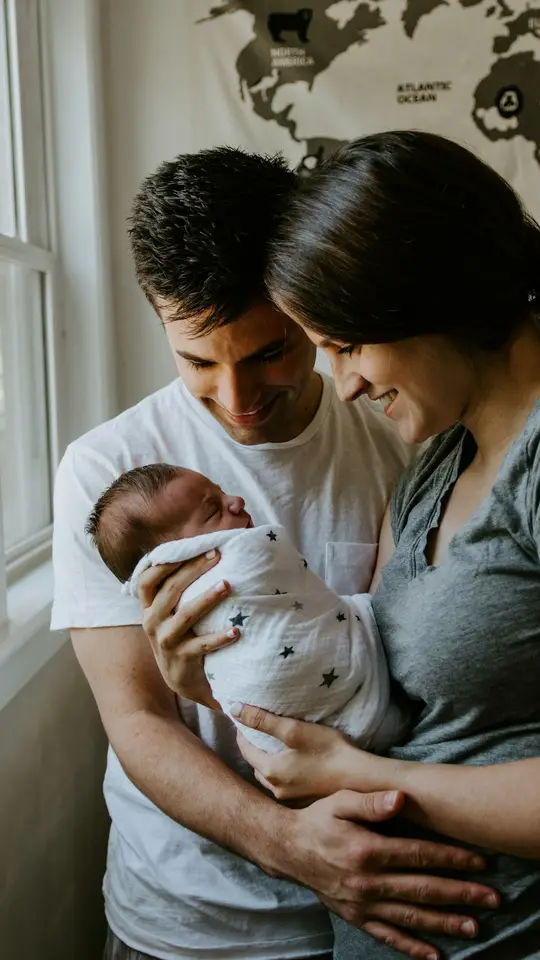
Two days old, wrapped in a hospital blanket. A tiny face, eyes almost closed.
The first smile, then lifting her head during tummy time. Cheeks filling out, eyes starting to focus.
Sitting up on her own, first hair, first teeth. Now it's a baby's face, not a newborn's.
Standing, maybe a first step, in front of a cake with one candle. The exact same eyes, in a face that's grown a whole year.
When you line up the eyes across those twelve photos, the transition stops looking like a slideshow and starts looking like growing up. The face changes gradually instead of switching, and that's the difference between a pile of photos and a short video that shows a whole year.
$24.99
The same person across the years, in one seamless video
From 11 to 19 photos, each extra photo is $2.49. From 20 photos there's a volume discount on the original price, up to 60 photos.
Or 10% off when you let us show your video as an example on our site
Start creatingOne-time payment. No subscription, no app to install.
Choosing photos and lining up the eyes takes a few minutes. Processing depends on how many photos you upload, from a few minutes up to about 15 for long videos. No need to wait by the screen: you can close the page, and your video will be waiting in "My videos" and in your email.
No. There's no timeline, no transitions to set up and no software to install. Upload photos from your phone, line up the eyes in the frame we show you, and the video builds itself.
My Clip builds each transition between two photos in a row, so every transition starts and ends on your own photos. Lining up the eyes helps keep the face consistent through the video. Small glitches can happen, and sharp photos with clear faces keep them to a minimum.
You can make a video with anywhere from 2 to 60 photos. The base price covers up to 10 photos, and volume discounts start at 20.
Sharp, well-lit photos where the face is large and facing the camera. Avoid blurry photos, full profiles, or photos where the face is very small. Scans from an old album work well.
Yes. While creating, you can pick music from our library or upload your own file. Once the video is ready, you can use the "Add music" screen to make a copy with different music.
A full video costs $24.99 for up to 10 photos, paid once with no subscription. Bigger packs go up to 60 photos for $96.99. You can try it free with two photos first.
Yes. Two photos of the same person become one seamless transition, with no credit card and no subscription. The free trial is once per account.
Yes. AI creates the transition between each pair of neighboring photos, so the face changes in one continuous movement instead of a cut. You choose the photos, and My Clip does the rest.
It waits in "My videos" and is also sent by email. You download one video file and share it on WhatsApp, Instagram or TikTok, or play it on a screen at the event.
A slideshow swaps one photo for the next. Here you see the face actually grow from photo to photo. And unlike hiring an editor, there is no waiting days: you make it yourself from your phone, and the video is usually ready within minutes.
We'll help you choose photos and find the idea that fits.
In a few minutes you'll usually have a growing-up video the whole family will want to keep.
Create a growing-up videoHome