Growing-up video
From birth to today
Gather photos of your child in order through the years, line up the eyes, and My Clip creates a seamless transition that shows them growing up. The video is usually ready in minutes, with no editing skills needed. Perfect as a party surprise, to send to family on WhatsApp, or to play on the big screen.
Examples of growing-up videos, from the very first year to the teen years.
From birth to today
A customer's video
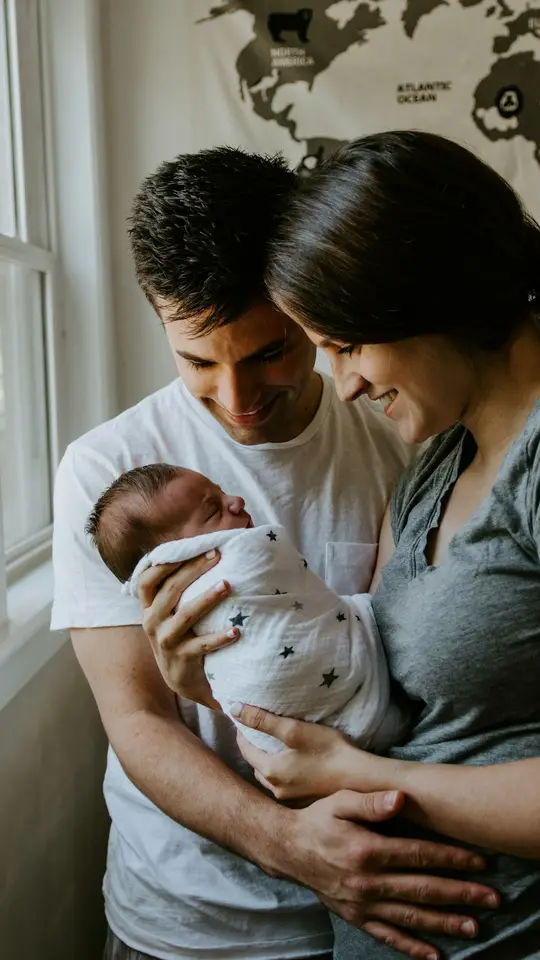
First birthday
A birthday is when everyone wants to look back: from baby days, through childhood, all the way to today. A growing-up video connects those moments into one continuous story, instead of a slideshow that jumps from photo to photo.
The surprise works at the party, on WhatsApp for family far away, or on the screen right before the cake. It's a gift you can't buy in a store, because it's made only from your photos.
It works for any age: a first birthday, five, ten, eighteen, or any number that matters. The more photos you have across the years, the more moving the video.
Pick photos in chronological order, from the earliest to the newest. Even 8–12 photos make a moving video.
Lining up the eyes is the most important step: when the face sits at the same height in every photo, the transition looks like real growth.
Add music that fits the age and the party. Choose from our library or upload a favorite song.
Between 2 and 60 photos of your child, from the earliest one to today. Photos from the first year, preschool, school and past birthdays. Scans from an album work too.
Each photo gets a frame that lets you place the face at the same height. That's what makes the transition look like continuous growth, not a photo swap.
My Clip creates the transition between every two photos. Add music and download a file that's ready for WhatsApp, Instagram or the screen at the party.
Say you've gathered 10 photos of your son, one from every birthday from the first year to the tenth. Each one next to a cake, from roughly the same angle.
A baby by a cake with one candle. Round face, surprised look.
Standing by the cake, a growing smile, longer hair. Same eyes, a face that grows.
Taller now, maybe in a party hat. The cakes change, the face stays.
Standing proud by a cake with 10 candles. With every photo lined up, the transition tells a decade of growing up in minutes.
This is the kind of video that stops the party. No pro camera or video editor needed, just the photos already on your phone.
$24.99
The same person across the years, in one seamless video
From 11 to 19 photos, each extra photo is $2.49. From 20 photos there's a volume discount on the original price, up to 60 photos.
Or 10% off when you let us show your video as an example on our site
Start creatingOne-time payment. No subscription, no app to install.
You can start with 2 photos. For a moving birthday video we recommend 8–15. The base price covers up to 10, and volume discounts start at 20.
Picking photos takes minutes. Processing depends on how many you use, usually up to 15 minutes. We recommend making it the day before, not at the last minute.
Yes. Album photos you scanned with your phone work great, as long as the faces are clear.
Download the file and move it to a computer or TV. You can also send it on WhatsApp to family who couldn't make it.
Yes. Pick from our library or upload your own song. Music that fits the age makes a big difference.
Sometimes there are small glitches in a transition. Sharp photos with large faces keep them to a minimum. You can always create it again with different photos.
Yes. For a milestone birthday the video spans decades, from black-and-white childhood photos to today. Pick one photo from each decade.
A full video costs $24.99 for up to 10 photos, paid once with no subscription. Bigger packs go up to 60 photos for $96.99. You can try it free with two photos first.
Yes. Two photos of the same person become one seamless transition, with no credit card and no subscription. The free trial is once per account.
Yes. AI creates the transition between each pair of neighboring photos, so the face changes in one continuous movement instead of a cut. You choose the photos, and My Clip does the rest.
It waits in "My videos" and is also sent by email. You download one video file and share it on WhatsApp, Instagram or TikTok, or play it on a screen at the event.
A slideshow swaps one photo for the next. Here you see the face actually grow from photo to photo. And unlike hiring an editor, there is no waiting days: you make it yourself from your phone, and the video is usually ready within minutes.
We'll help you choose photos and find the idea that fits.
The photos are already on your phone. In minutes you'll usually have a video the party will remember.
Create a birthday videoHome